A quiet place for a fresh start.

Private check-ins, guided breathing and small plans for tonight. No account, ads or analytics.

Coming soon to the App Store and Google Play Free · iPhone, iOS 18 or later
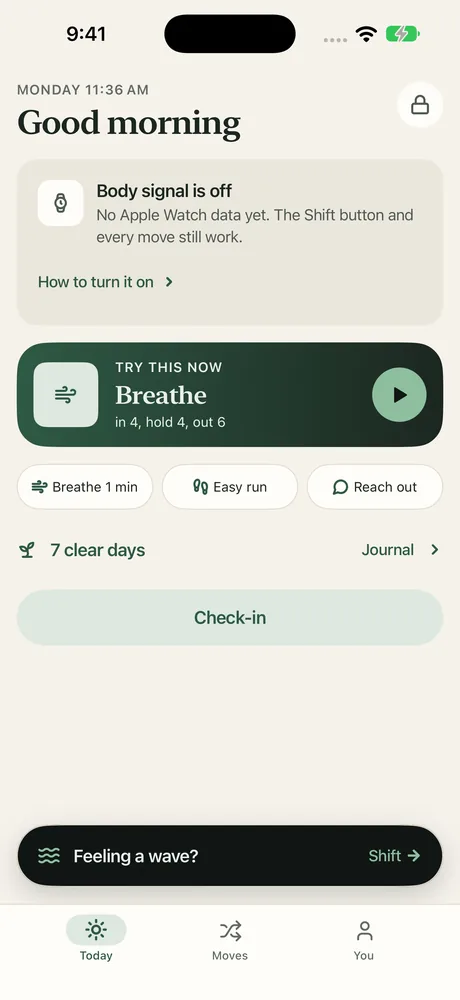
Morrow's Today screen: a greeting, a Breathe card that says in 4, hold 4, out 6, shortcuts for Breathe 1 min, Easy run and Reach out, and a count of 7 clear days.

Something to do instead.

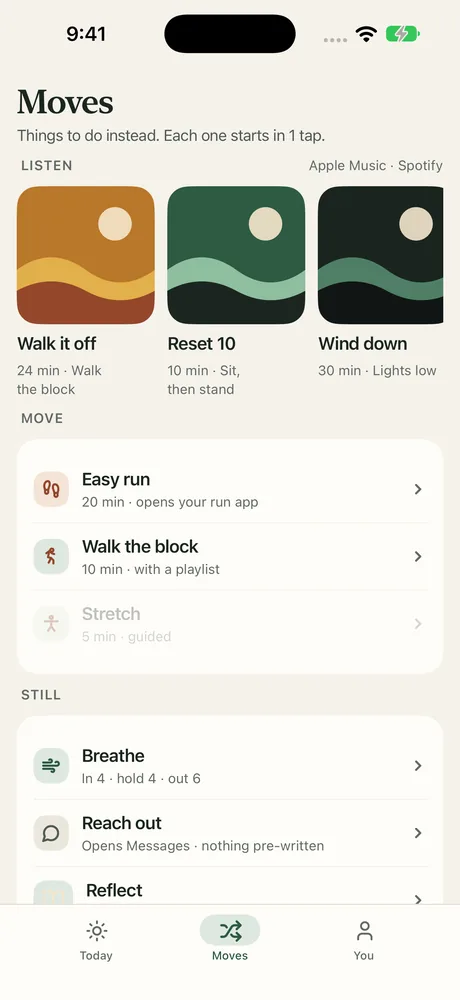
When an evening starts to drag, Moves gives you a short, ready-made thing to do. Each one starts in one tap.

  • Walk the block, an easy run, or ten minutes to sit and then stand
  • Play a playlist you chose from Apple Music while you move
  • Wind down with the lights low
The Moves screen with three playlist cards, Walk it off, Reset 10 and Wind down, and a list of moves such as Easy run, Walk the block, Breathe and Reach out.

For a difficult moment.

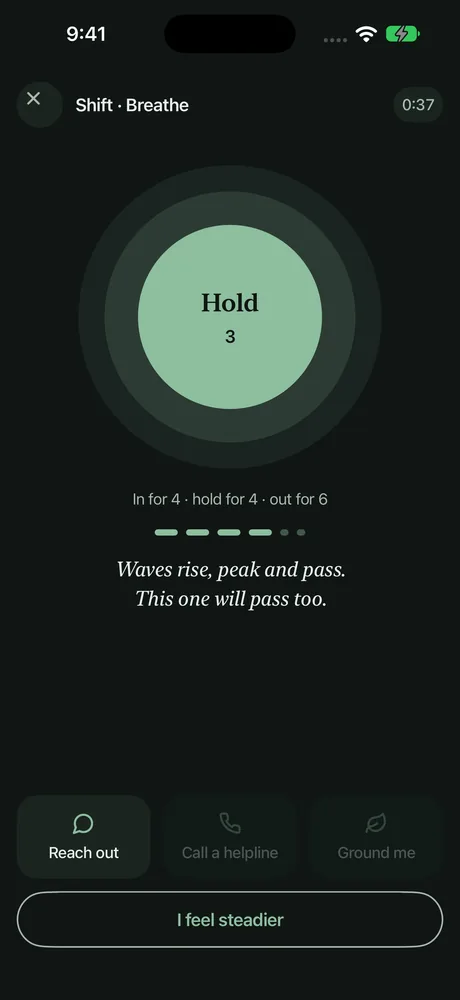
Tap Shift and Morrow breathes with you: in for 4, hold for 4, out for 6. When you feel steadier, you choose what comes next.

  • Reach out to someone you chose, in Messages or Phone
  • Ground yourself with a short exercise
  • Call a helpline if you need one

Waves rise, peak and pass. This one will pass too.

The Breathe screen in dark colours: a large green circle that says Hold, 3, with the words in for 4, hold for 4, out for 6.

Three taps, then get on with your day.

A check-in asks how today is going and whether it was a clear day. A note is optional. Over time, the Journal shows the shape of your weeks.

  • Make a small plan for tonight and keep your reasons close
  • An honest answer helps you see patterns
  • A harder day is part of the record, not the end of it

7 of 30 days clear

An example month

Clear days fill in. Nothing resets.

It looks like nothing much. That's the point.

Morrow is built to be discreet on your phone and in your pocket.

  • Lock Today, Journal and You with Face ID or your passcode
  • A cover screen hides Morrow in the app switcher
  • Reminders say only "A gentle reminder"
  • Choose a plain app icon if you prefer
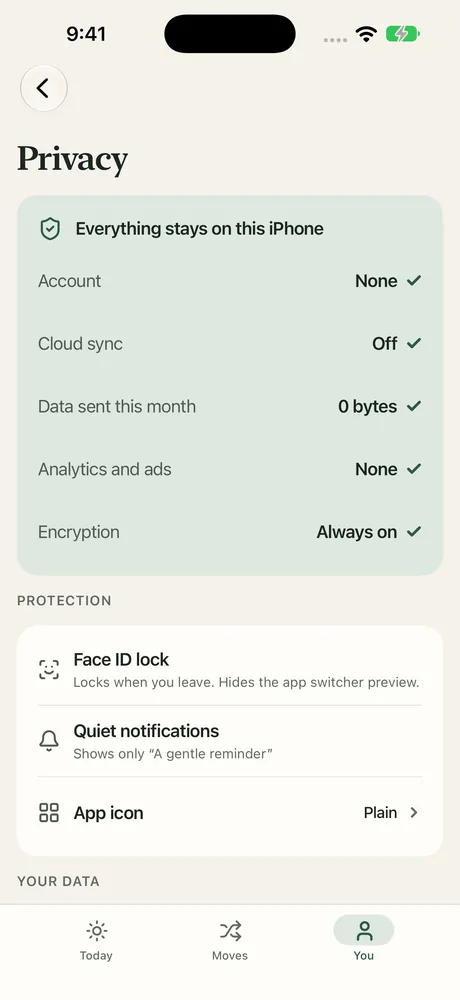
Morrow's Privacy screen: Everything stays on this iPhone. Account none, cloud sync off, data sent this month 0 bytes, analytics and ads none, encryption always on. Below are Face ID lock, Quiet notifications and App icon settings.

Everything stays on your iPhone.

There is no Morrow account and no Morrow server. Your check-ins, journal, plans and reasons are kept on your device, protected by iOS file protection. Optional extras, like Apple Health or a playlist, only ask when you turn them on.

Read the privacy policy

Account
None
Cloud sync
Off
Analytics and ads
None
Tracking
None
Where your data lives
On your iPhone

Morrow is a personal support tool, not an emergency service or a substitute for professional care. If you are in immediate danger, call your local emergency number. In the US and Canada you can call or text 9-8-8.

Questions

How much does Morrow cost?

Morrow is free.

Do I need to make an account?

No. There is nothing to sign up for. Open the app and start.

Will someone who picks up my phone know what it's for?

Morrow is designed not to say. You can lock it with Face ID or your passcode, the cover screen hides it in the app switcher, reminders only say "A gentle reminder", and you can pick a plain app icon.

What if I get a new phone?

Because nothing is stored in the cloud, Morrow can't move your data for you. In the app you can export a backup file protected by a passphrase you choose. Keep the file and the passphrase safe: Morrow can't recover a lost passphrase.

Do I need an Apple Watch?

No. If you turn on the optional body signal guide, Morrow reads heart-related data from Apple Health, and an Apple Watch gives the best results. Every Move and the Shift button work without it.

Is there an Android or iPad version?

Morrow is for iPhone first. iPad support is coming, and an Android version is in development.